Management portal

Built for how you actually run a school

Numbers that explain themselves, migrations that reverse, permissions that hold, and a weekly report that writes itself. No data person required — and no black boxes tolerated.

Sign in to your school

Analytics that explain themselves

Every number states its own formula in plain language, and every flag carries its reasons. When a metric can't be computed honestly, it shows a blank — never a made-up zero.

  • School-level completion KPIs and daily-actives statistics, live — no 24-hour refresh lag
  • Inactivity dashboards — who has never signed in, who has gone quiet, by role
  • Time-on-task and engagement reports built from real session evidence
  • Explainable at-risk flagging — rule-based with visible reasons, by deliberate design
  • CSV export on every report — take your numbers anywhere
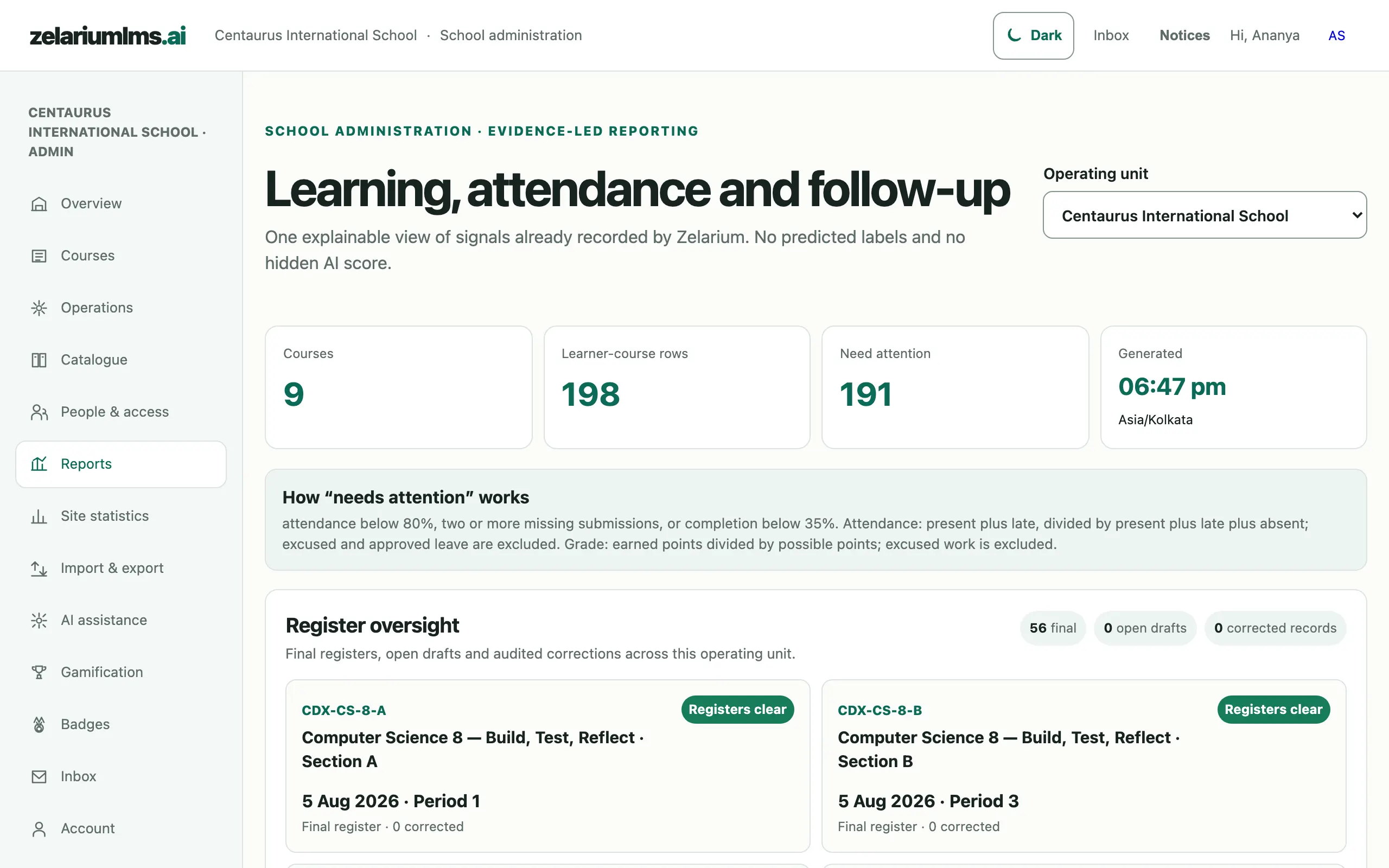
Admin report dashboard with course and learner counts and a plain-language needs-attention formula note
Admin reports — school KPIs with a plain-language note on how “needs attention” is computed. Captured from the live demo school.

Migrations and imports you can undo

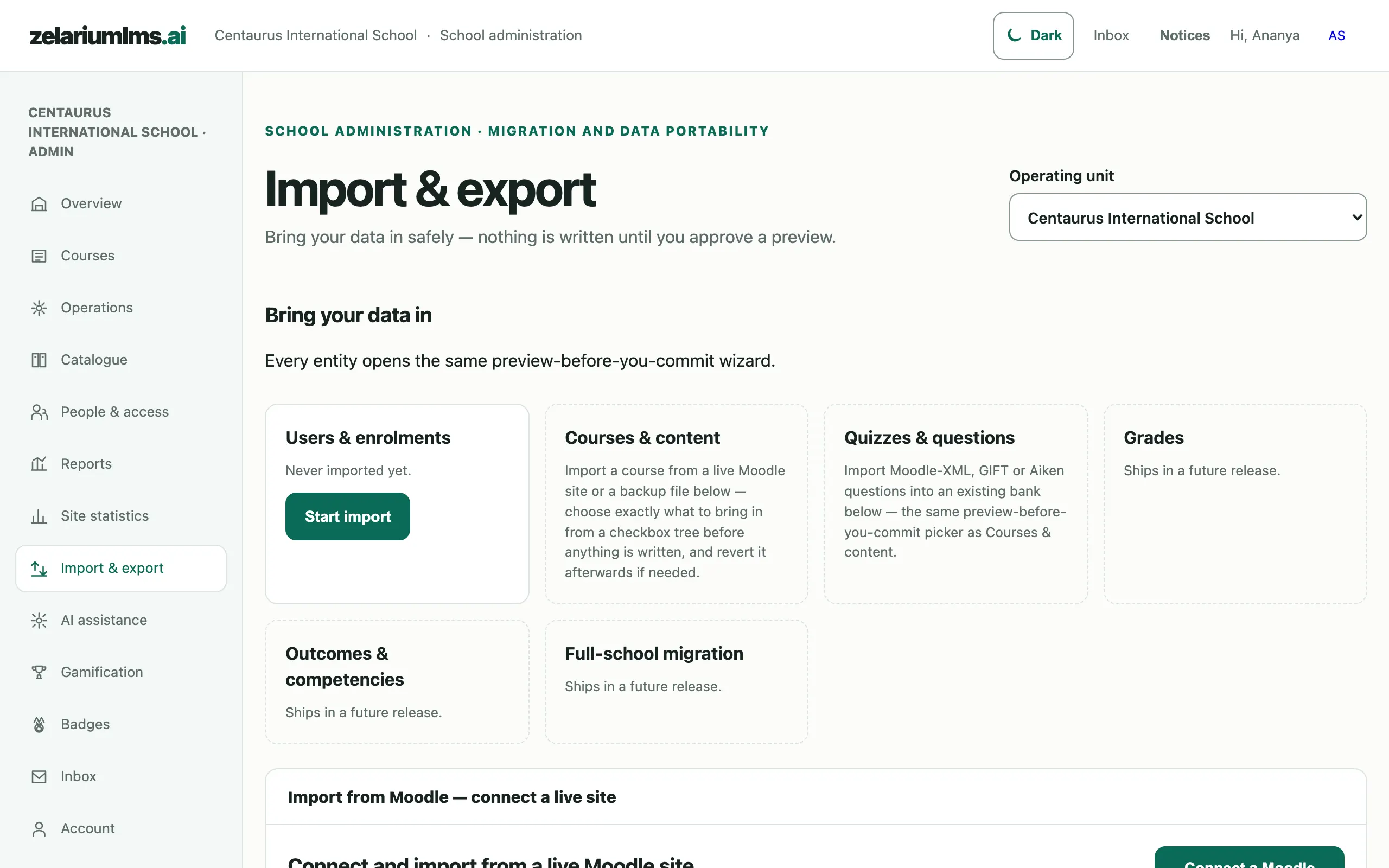
Bring your Moodle history and your rosters across on your terms — previewed before, ledgered during, reversible after.

  • Dry-run preview — see the full change list before a single record is written
  • Selective Moodle import — pick courses, users and content from a selection tree
  • Every import is ledgered — who imported what, when, changing which records
  • One-button rollback restores the pre-import state from the ledger
  • Whole-school export anytime — your data is never held hostage
Import and export screen with preview-before-commit entity cards and a Moodle connection panel
Import & Export — preview-before-you-commit imports, revertible afterwards. Captured from the live demo school.

Control who sees what — and prove it later

Role-based access runs through everything, including analytics. And when a question comes — from a parent, a board, a regulator — the audit trail already has the answer.

  • Role- and permission-aware everything — teachers, students, guardians and admins each see exactly their slice
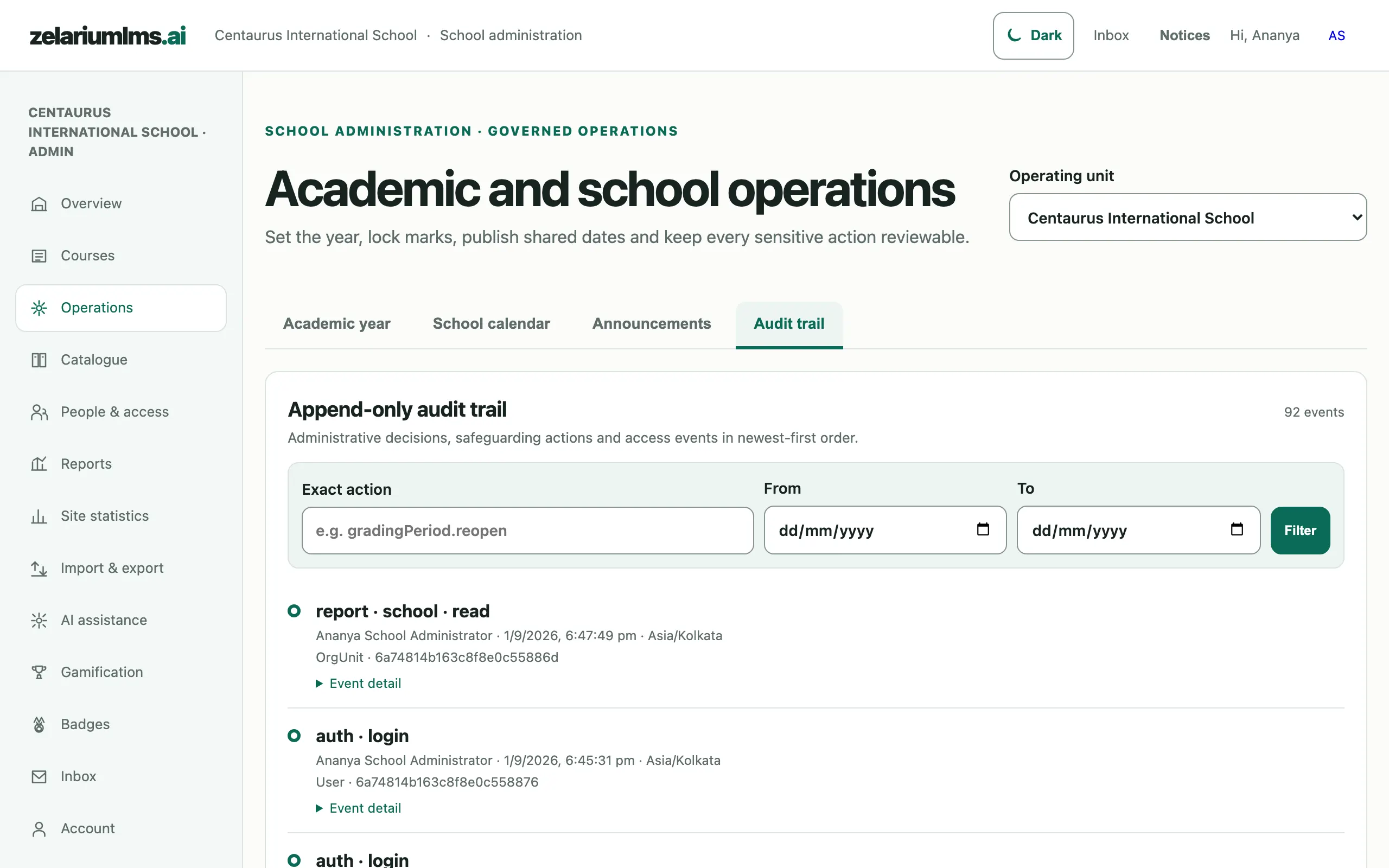
  • Append-only audit ledger — logins, grade changes, authoring, imports; filterable, unprunable without cause
  • Grade changes carry their history — who, what, from, to, why, when
  • AI governance built in — usage metering, budget caps, per-user quotas, kill switch; off by default
  • Every upload virus-scanned before it can be served to anyone
Append-only audit trail with an action filter and recent login and report events
Audit trail — append-only administrative and safeguarding events, filterable by action and date. Captured from the live demo school.

The weekly report writes itself

Every week, Zelarium snapshots the school's numbers into a dated report you can open, compare and download — a running record of the year, not a scramble before the board meeting.

  • Weekly report snapshots generated automatically, archived with their dates
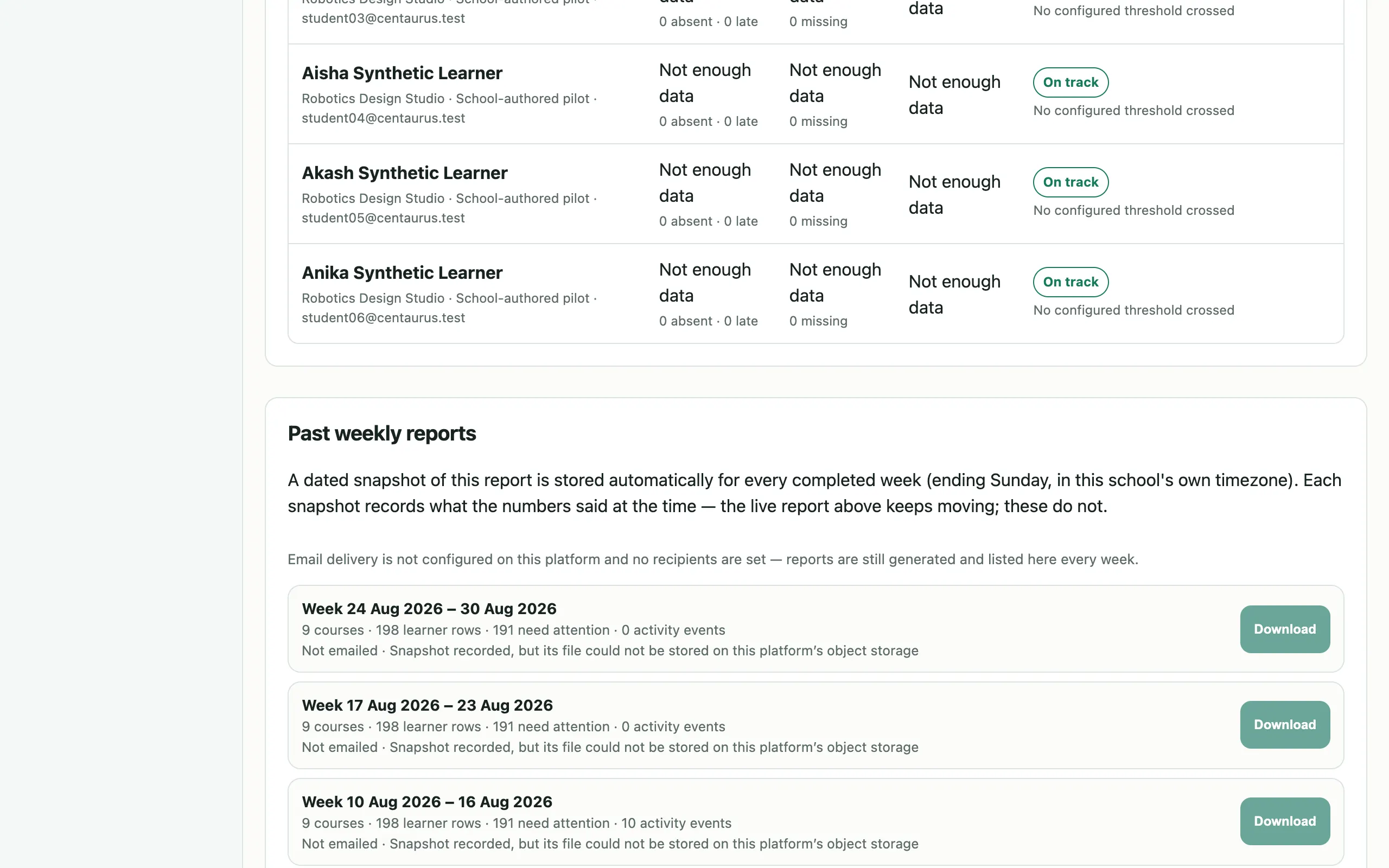
  • Past weekly reports browsable and downloadable — the term's whole story in one place
  • Plain-language formulas on every figure, so the report defends itself in the meeting
  • Certificate oversight — issue automatically on completion, verify publicly, revoke only with a recorded reason
Past weekly reports panel listing dated snapshots with download buttons
Past weekly reports — dated snapshots recorded every completed week, each downloadable. Captured from the live demo school.

Run the school on evidence

Sign in with your admin account — the reports, the audit trail and the import tools are already there.

Sign in